Turn On the volume for the best experience

























































A Digital Engineering Company
Consulting | Digital Transformation | IT Services
Harnessing two decades of digital experience, we improve process efficiency, provide seamless Omni-channel Digital end-user experience and create a continuous ecosystem of innovation to deliver sustainable competitive advantage for our customers.
Here is how we engage to unravel and transform the 'Digital Spaghetti' challenges today's organizations have to overcome.
We efficiently deliver high impact Digital Roadmap to address our customers’ business challenges by following a Design Led methodology for Digital Transformation – AlvariumTM.

Alvarium™ Design Led Methodology for Digital Transformation
Our Digital Solutions & Deep Technical expertise ensure that the Digital Journeys are carefully Designed, are Pragmatic, Achievable and Deliver measurable business value for our customers.

Digital Solutions & Tech Expertise Our Excellence towards Success
In over two decades, we have mastered the art of delivering software engineering services by practicing the most flexible and innovative Global Delivery Models that create a balanced team of Nearshore, Onshore and Offshore professionals.

Global Delivery Models Onshore + Near shore + Offshore
As our customers say - "One of the most passionate teams of brilliant technical brains with an indomitable urge to excel and tenacity to make the impossible happen" – Our DNA - Our Attitude.

Our DNA The Right Attitude
A Customer Centric Company
We ADAPT at the speed of light and PARTNER with our customers by ensuring that we deliver the Strategic Digital Innovations, with measurable business outcomes and latest technologies, thereby enabling them to succeed in today's ever changing global business landscape.
Engineering the Digital Innovation
We Thrive around complex Technology Challenges














Our Services

Consulting
We follow a collaborative design-led consulting approach to help enterprises envision and implement digital transformation.

Digital Transformation
Enhancing digital transformation experiences through flawless integration of technology and creativity.

Future Engineering
Enabling enterprises to adapt to rapid changes in the business paradigm with futuristic technologies and solutions.

Professional Services
We are a global leader in focusing on the human factor of any organization’s strategy and helping them make better business decisions.
Digital Platforms













Customer Delight - Success Stories
Insights

Article
Nytt SOC i Stockholm ska hjälpa nordiska SMB-kunder
Article
G’SecureLabs provides solutions to tackle cybersecurity for SME & Enterprise companies

Article
Tuotekehitysyhteistyön avulla joustavuutta ja kustannushyötyjä – Case School Day
Article
Digitaliserad verkstad för en enklare vardag
Article
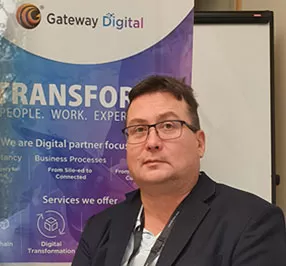
Petteri paju vahvistamaan Gatewayn myyntiä
Article
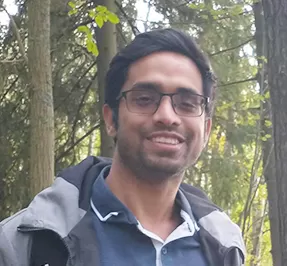
Sisulla läpi tuulen ja tuiskun – Full Stack data engineer Akshenndra Garg

Article
How Can Emerging Technology Facilitate Faster Start-up Growth?

Article
Tiny AI: Introduction, Approach and Application in Healthcare Industry

Careers
Join Us!
Be DIFFERENT
Join the Gateway team to broaden your horizons and grow professionally every day!
View OpportunitiesOpens a new window